
Replace a broken DMD with a colorised PIN2DMD screen
DMD's, the orange displays used in pinball machines from the 1990s until early 2000s, don't have an unlimited lifespan. They can burn in, outgass, or have defects like missing rows or columns. As all of these pinball machines have a display of 30 to almost 40 year old now, replacements start to become necessary.
Original replacement dmds can still be bought, but they are getting expensive, around 400 euro! Luckily there are better and more modern replacements. There's the commercial ColorDMD, that comes in two versions, with led or lcd panels. There's also a cheaper open source alternative Pin2DMD project.
When your old orange DMD display needs replacement, don't buy an expensive orange one, but buy one of the modern replacements. Not only do you get the advantage of color, the displays also doesn't need the high voltage section anymore as they work on 12 volts.
This page is about the installation of a PIN2DMD display.
The hardware is open sourced, but the software needs to be bought and activated, and the colorisation files for some games also need to be bought from the person who colorised them. It'll depend where you buy your PIN2DMD board on what you get. Luckily my source in Europe activates and handles the files, so his boards are plug and play and cost around 200 euro. With other distributors you may only get the hardware and need to buy the colorisation files yourself and install them on the board. As it's an open source project, you can even make your own colorisations if you want.
Installing the display is not too complicated. Make sure your pinball machine is turned off before you start.
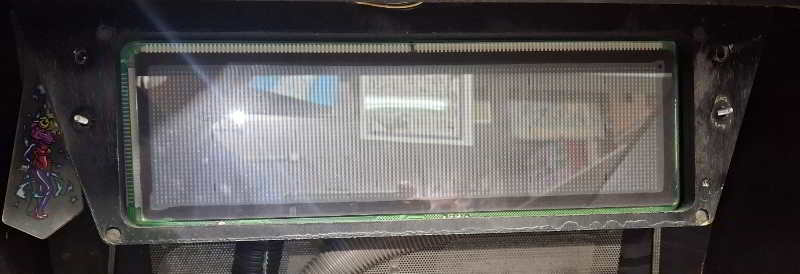 Documented here is the installation in my Bally Circus Voltaire pinball machine.
This game is unique as the DMD is mounted in the lower cabinet above the playfield, and not in the backbox between the speakers.
Remove the decorative plastic, and you can pull the wooden piece straight towards you to remove it from the bottom cabinet.
On any other WPC game, you just remove the translight and pull the speaker panel out of the game.
Unplug the 2 connectors on the display (a flatcable and the power cable).
Documented here is the installation in my Bally Circus Voltaire pinball machine.
This game is unique as the DMD is mounted in the lower cabinet above the playfield, and not in the backbox between the speakers.
Remove the decorative plastic, and you can pull the wooden piece straight towards you to remove it from the bottom cabinet.
On any other WPC game, you just remove the translight and pull the speaker panel out of the game.
Unplug the 2 connectors on the display (a flatcable and the power cable).
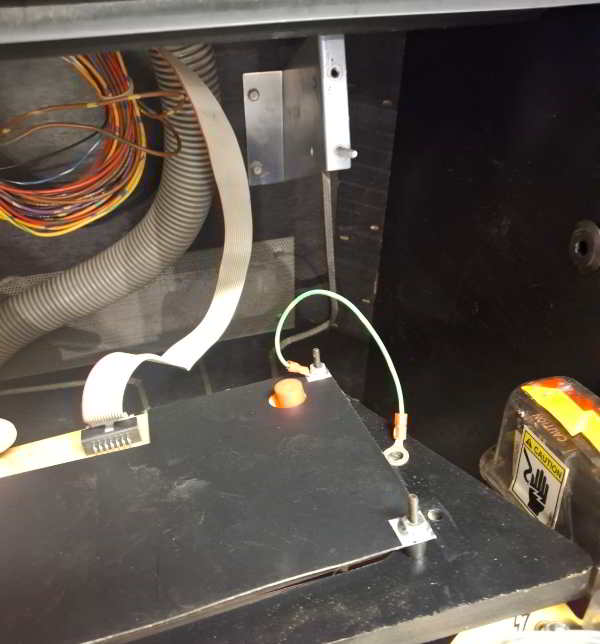 Here you see how the display panel is mounted in the cabinet, it sits on large screw on each side.
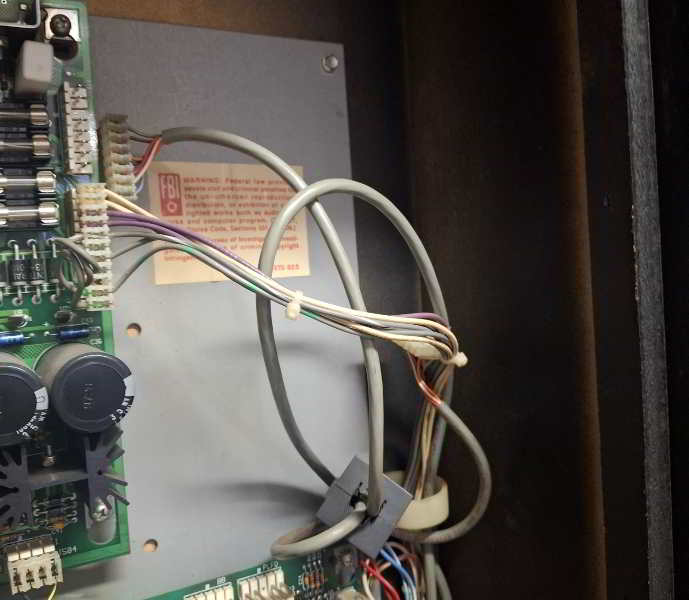 The new display doesn't use require high voltage anymore. On a WPC-95 game you can unplug the cable
on the top right of the A/V board.
The new display doesn't use require high voltage anymore. On a WPC-95 game you can unplug the cable
on the top right of the A/V board.
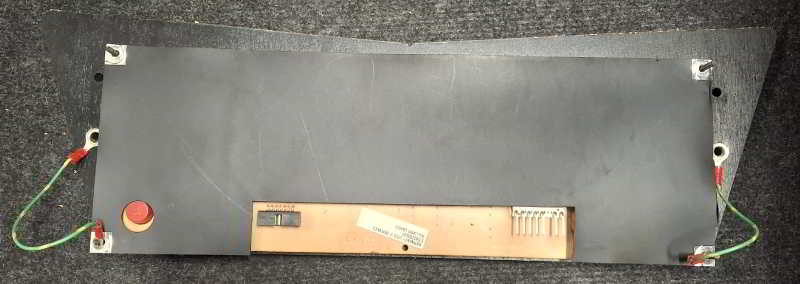 The board removed from the game will look like this, the dmd is mounted on a wooden panel.
On WPC-95 it's on the plastic speaker panel, on WPC games it's a wooden panel, with the speakers next to it. Remove the 4 nuts in the corners and the protective cover
(here black plastic, sometimes it's made out of cardboard) and the dmd can be lifted straight up.
The board removed from the game will look like this, the dmd is mounted on a wooden panel.
On WPC-95 it's on the plastic speaker panel, on WPC games it's a wooden panel, with the speakers next to it. Remove the 4 nuts in the corners and the protective cover
(here black plastic, sometimes it's made out of cardboard) and the dmd can be lifted straight up.
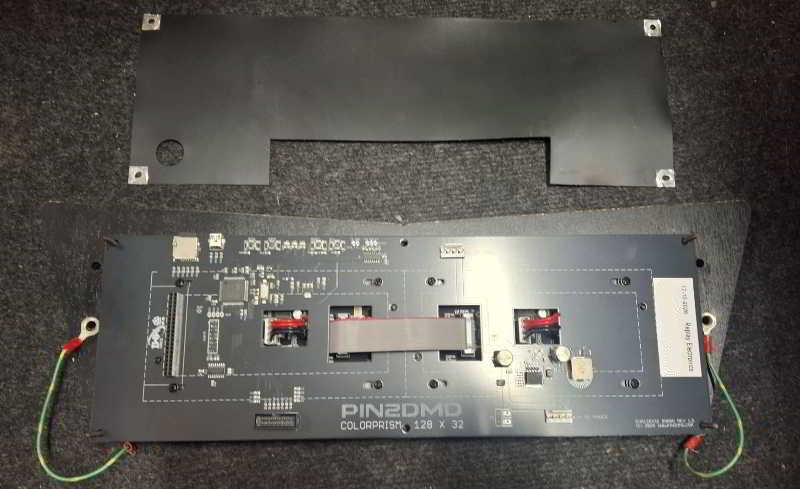 Now place the new PIN2DMD in the speaker panel. The mounting holes are identical. It's safest to
re-install the plastic or cardboard cover to protect the electronics. Don't install it upside down. Install it so you can read the text,
the PIN2DMD logo and connectors are at the bottom.
Now place the new PIN2DMD in the speaker panel. The mounting holes are identical. It's safest to
re-install the plastic or cardboard cover to protect the electronics. Don't install it upside down. Install it so you can read the text,
the PIN2DMD logo and connectors are at the bottom.
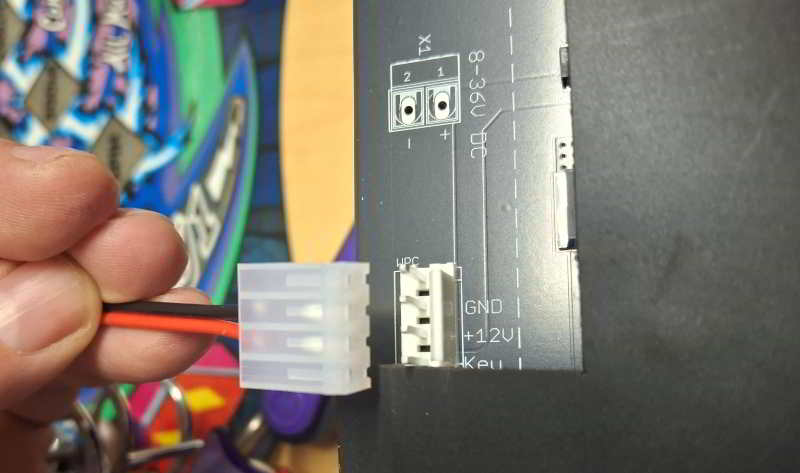 You should have received a power cable together with the display. The black wire is GND, red wire (or another color,
depending on who made it) is +12v.
You should have received a power cable together with the display. The black wire is GND, red wire (or another color,
depending on who made it) is +12v.
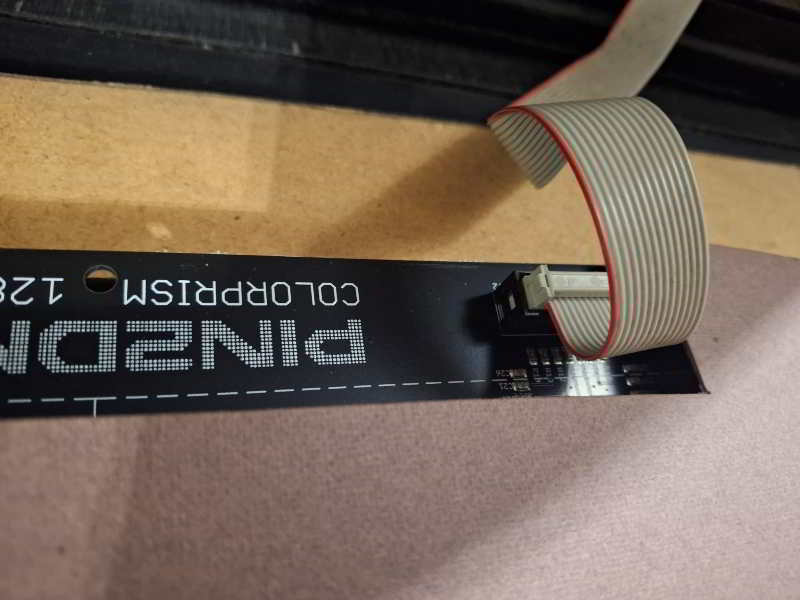 Install the flatcable. The red stripe (pin 1) goes towards the center of the PIN2DMD.
 On WPC-95 games, the other end goes to the connector marked 'BB' at the top of the powerdriver board.
This end of the cable should have a connect through pcb. If another connector is plugged in, unplug it, insert the PIN2DMD power connector, and plug the original connector on top of this one.
On WPC-95 games, the other end goes to the connector marked 'BB' at the top of the powerdriver board.
This end of the cable should have a connect through pcb. If another connector is plugged in, unplug it, insert the PIN2DMD power connector, and plug the original connector on top of this one.
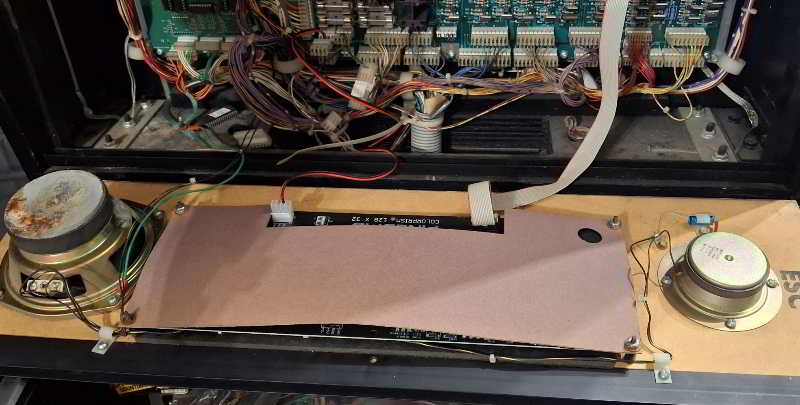 Here is an examble of a PIN2DMD installed in a WPC speaker panel. It sits between the speakers, the power
cable goes to the bottom left of the powerdriver board.
Here is an examble of a PIN2DMD installed in a WPC speaker panel. It sits between the speakers, the power
cable goes to the bottom left of the powerdriver board.
 Close-up on where to get power on a WPC game. You plug it in at the bottom left corner of the powerdriver board.
Any of the 3 plugs will fit. Here you see the pass-through board in use, the original connector gets plugged into the PIN2DMD power connector.
Close-up on where to get power on a WPC game. You plug it in at the bottom left corner of the powerdriver board.
Any of the 3 plugs will fit. Here you see the pass-through board in use, the original connector gets plugged into the PIN2DMD power connector.
 Installation is done. Install the DMD back into the game.
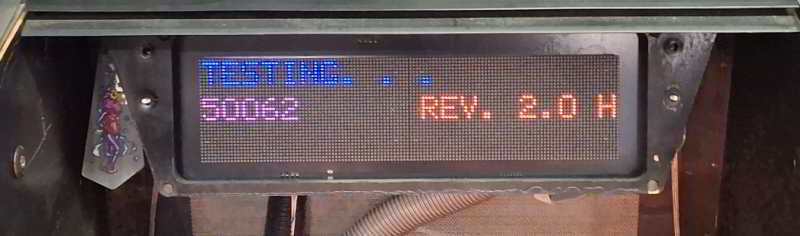 If the software is installed and everything is connected, turn the game on, and you're greated with a colored display!
If you're looking for pinball parts, then check out Pinballshop.nl (affiliate link).